
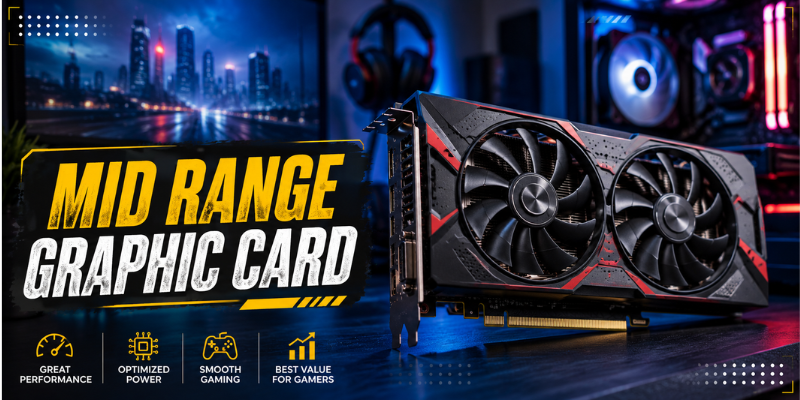

Choosing a mid range graphic card can be one of the smartest ways to upgrade a gaming PC without spending flagship-level money. The current market offers strong options from NVIDIA, AMD, and Intel, making the decision more interesting than ever.
For most players, the goal is simple: get smooth frame rates, good image quality, enough VRAM, and hardware that will remain useful for several years.
The challenge is knowing which specifications actually matter. From 1080p and 1440p gaming to ray tracing and upscaling, several factors can influence whether a graphics card is genuinely good value.
What Makes a Mid Range GPU a Good Choice?
A mid-range GPU sits between entry-level graphics cards and expensive enthusiast models. There is no universal price or performance definition because the category changes as new generations arrive.
In practical terms, these cards are designed for people who want considerably more gaming performance than basic GPUs provide but do not need the extreme power of premium models.
A good mid-range graphics card should offer a sensible combination of:
- Strong 1080p performance
- Capable 1440p gaming
- Adequate VRAM
- Efficient power consumption
- Modern upscaling technologies
- Good driver support
- A reasonable price-to-performance ratio
Current buying conditions also make value especially important. GPU prices have been under pressure in 2026, with memory costs and demand contributing to higher prices in some markets.
VRAM and Gaming Performance Matter
One of the most important specifications to consider is video memory, commonly called VRAM. It stores graphical data that the GPU needs while rendering games and applications.
For modern gaming, more VRAM can become useful when playing at higher resolutions or using demanding texture settings. However, VRAM capacity should not be considered in isolation. GPU architecture, memory bandwidth, processing power, and software support all influence actual performance.
The changing PC landscape shows why this matters. Steam’s July 2026 hardware survey reportedly saw 16GB GPUs become the most common capacity among users, overtaking 8GB models.
That does not mean every gamer needs 16GB, but it is a useful reminder to think about future game requirements rather than only today’s settings.
1080p vs. 1440p Gaming
For 1080p gaming, many modern mid-range cards can deliver excellent results at high settings. This resolution remains popular because it provides a good balance between image quality and performance.
1440p is more demanding, but it has become an attractive target for gamers who want sharper visuals without making the jump to 4K.
If 1440p is your main goal, prioritize a GPU with enough processing power and VRAM rather than choosing a model based solely on its advertised boost clock.
NVIDIA, AMD, or Intel?
The three major choices in the consumer GPU market are NVIDIA GeForce, AMD Radeon, and Intel Arc. Each company has a different approach to performance and features.
NVIDIA’s current GeForce lineup is particularly attractive to users who care about ray tracing, AI-assisted features, and a broad software ecosystem. These features can be important in games that support advanced lighting and image-generation technologies.
AMD Radeon cards often appeal to buyers looking for strong traditional rendering performance and generous memory configurations. For example, AMD’s Radeon RX 9060 XT is available with up to 16GB of GDDR6 memory, a 160W typical board power rating, and support for modern display and video technologies.
Intel Arc is another option worth considering, particularly for buyers who find a competitive price on a current-generation model. Reviews and buying guides continue to include Intel’s Arc lineup among the GPUs worth considering in the broader value market.
The best brand ultimately depends on the games you play, your budget, and the features you actually use.
Features That Should Influence Your Purchase
Raw frame rates are important, but modern GPUs offer much more than traditional rendering performance.
Upscaling and Frame Generation
Upscaling technologies can render a game at a lower internal resolution and reconstruct the image to produce a higher-resolution output. When implemented well, this can increase frame rates while maintaining good image quality.
Frame-generation technologies can increase displayed frame rates further, although they do not replace the need for strong underlying GPU performance. Input latency and image quality should also be considered.
Ray Tracing
Ray tracing creates more realistic lighting, reflections, shadows, and other visual effects. It can dramatically improve certain games, but it also increases the rendering workload.
If ray tracing is important to you, compare GPUs based on their ray-tracing performance rather than relying only on traditional rasterization benchmarks.
Video Encoding and Creation
Gamers who stream, record gameplay, edit videos, or create online content should also look at media-engine capabilities.
Modern graphics cards support hardware acceleration for common video formats, potentially reducing the workload placed on the CPU. AMD’s RX 9060 XT, for example, supports H.264, H.265/HEVC, and AV1 encoding and decoding.
How to Match a GPU With Your PC
A graphics card does not work in isolation. Your processor, power supply, motherboard, monitor, and case can all affect the overall experience.
A powerful mid range graphic card can still deliver excellent results, but an older processor may create CPU limitations, particularly when gaming at 1080p with high refresh rates.
The power supply also deserves attention. Check the manufacturer’s recommended PSU requirements and the required power connectors before buying.
Physical dimensions are easy to overlook as well. Large graphics cards may not fit comfortably inside smaller cases, particularly when front-mounted radiators or other components occupy additional space.
Monitor resolution should be part of the decision too. Buying an expensive GPU for a basic 1080p display may make less sense than investing some of the budget in a better monitor.
How to Get Better Value From Your GPU Budget
The most expensive graphics card is not automatically the best purchase. Price-to-performance should be the priority.
Start by deciding what games you play and what resolution you want. Competitive games may prioritize high frame rates, while visually demanding single-player titles can benefit more from additional VRAM and stronger rendering performance.
It is also worth comparing several cards rather than choosing based on brand loyalty. Independent testing can reveal substantial differences between models that appear similar on paper.
Current market conditions make this especially important. GPU prices can vary considerably by retailer, region, and availability, so checking the actual selling price rather than relying on launch pricing is essential.
Used graphics cards can also provide good value, but buyers should check the card’s condition, warranty status, operating temperatures, and history before purchasing.
Is a Mid-Range Graphics Card Enough for 2026?
For many PC gamers, absolutely. A properly selected mid-range GPU can provide an excellent experience at 1080p and can also handle 1440p gaming depending on the game and graphics settings.
The key is to avoid judging a card only by its name or generation. Look at real-world performance, VRAM, power requirements, features, and current pricing.
If your budget is limited, spending everything on the GPU may also create an unbalanced system. A sensible combination of CPU, GPU, memory, storage, and display generally produces a better overall experience.
Frequently Asked Questions
What is a mid range graphic card used for?
A mid range graphic card is generally designed for mainstream gaming, content creation, and everyday graphics-intensive workloads. It can provide strong 1080p performance and, depending on the model, very capable 1440p gaming.
How much VRAM should a mid-range GPU have?
The ideal amount depends on the games, resolution, and settings you use. More VRAM can be beneficial for modern games, especially at 1440p and above. However, memory capacity should always be evaluated alongside overall GPU performance.
Is 1440p gaming possible with a mid-range GPU?
Yes. Many current mid-range graphics cards are designed with 1440p gaming in mind. You may need to adjust demanding settings or enable an upscaling technology in particularly intensive games.
Should I choose NVIDIA or AMD for a mid-range gaming PC?
Neither brand is automatically best for everyone. NVIDIA can be attractive for users who prioritize ray tracing and its software features, while AMD often competes strongly on traditional rendering performance and VRAM capacity. Compare the specific cards at their current prices.
Is it worth upgrading to a mid-range graphics card in 2026?
It can be, particularly if your existing GPU struggles with newer games or cannot maintain the frame rates you want. Before upgrading, check whether your CPU, power supply, monitor, and case can support the new card properly.
Conclusion
The right mid range graphic card can deliver an excellent balance of price, performance, and modern gaming features. Instead of focusing only on brand names, compare real-world performance, VRAM, resolution targets, ray tracing, power requirements, and current pricing.
For most gamers, 1080p and 1440p remain the most sensible targets for this class of GPU. A carefully chosen card can provide smooth gameplay today while leaving enough performance headroom for future titles.
The best upgrade is not necessarily the most expensive one—it is the card that fits your games, system, monitor, and budget.
Stay in touch to get more updates & alerts on marketingdirecto.co.uk site! Thank you