
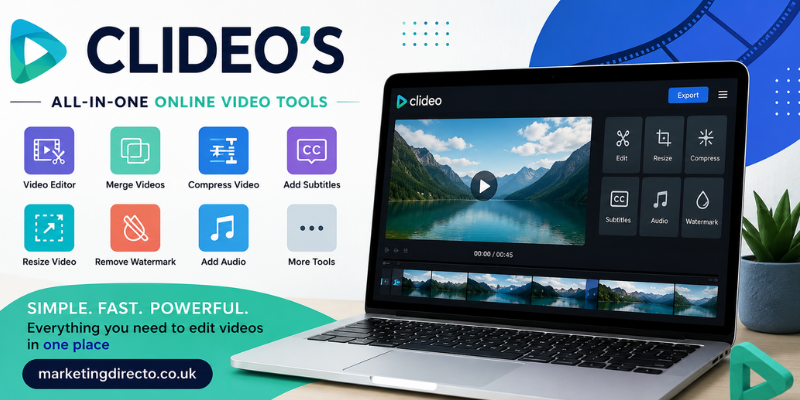

Clideo’s online video editing platform has become a popular choice for creators, students, businesses, and social media enthusiasts who want to edit videos without installing complicated software. Whether you’re creating YouTube content, Instagram Reels, TikTok videos, or business presentations, Clideo offers an easy-to-use solution that works directly in your browser. With its simple interface and cloud-based tools, anyone can produce high-quality videos in just a few clicks.
What Is Clideo’s?
Clideo’s is an online video editing platform that provides a wide range of tools for editing, converting, compressing, and enhancing videos. Unlike traditional desktop software, Clideo works entirely through a web browser, making it accessible on Windows, macOS, Android, and iOS devices.
The platform is designed for users of all skill levels. Whether you’re a beginner or an experienced content creator, Clideo simplifies video editing with intuitive features that require little to no technical expertise.
Key Features of Clideo’s
One of the biggest strengths of Clideo’s is its collection of easy-to-use tools. Instead of overwhelming users with advanced editing options, it focuses on the features most people need.
Some of its most popular features include:
- Video trimming and cutting
- Video merging
- Video compression
- Adding subtitles
- Video resizing for social media
- Slideshow creation
- Meme maker
- Video converter
- Audio editing
- Screen recording
These tools help users complete editing tasks quickly without downloading additional software.
Why Choose Clideo’s for Video Editing?
Many online editors promise simplicity, but Clideo stands out because of its clean interface and fast performance.
Easy to Use
Even first-time users can upload, edit, and export videos without watching lengthy tutorials.
Browser-Based Editing
Since Clideo works online, you don’t need a powerful computer. Simply open your browser and start editing.
Supports Multiple Formats
The platform works with popular formats such as MP4, MOV, AVI, WMV, MKV, and many more.
Cloud Security
Uploaded files are protected with secure encryption, and projects can be managed without storing large files on your local computer.
Cross-Platform Compatibility
Whether you use a laptop, desktop, tablet, or smartphone, Clideo provides a consistent editing experience.
Benefits of Using Clideo’s
Clideo’s offers several advantages that make it attractive for personal and professional use.
Saves Time
Tasks like trimming videos or adding subtitles can be completed within minutes.
No Installation Required
Everything runs online, eliminating software installation and update issues.
Beginner-Friendly Interface
The simple dashboard allows users to focus on creativity instead of learning complicated editing software.
Ideal for Social Media Creators
Content creators can quickly resize videos for YouTube, Instagram, TikTok, Facebook, and other platforms.
Affordable Premium Plans
While many tools are available for free, premium plans remove watermarks and unlock additional features.
Who Should Use Clideo’s?
Clideo’s is suitable for a wide range of users, including:
- YouTubers
- Digital marketers
- Small business owners
- Teachers
- Students
- Freelancers
- Social media managers
- Content creators
Its flexibility makes it useful for both personal and professional projects.
Tips for Getting the Best Results
To maximize your editing experience with Clideo’s:
- Upload high-quality videos.
- Keep projects organized.
- Add subtitles for better accessibility.
- Compress videos before sharing.
- Use the correct aspect ratio for each social media platform.
- Preview your project before exporting.
These simple practices can significantly improve the quality of your final videos.
Pros and Cons
Pros
- Easy for beginners
- Works online
- Supports multiple file formats
- Fast processing
- No software installation
- Mobile-friendly
- Affordable premium options
Cons
- Free version includes a watermark.
- Internet connection is required.
- Advanced professional editing features are limited compared to desktop software.
Frequently Asked Questions
1. Is Clideo’s free to use?
Yes. Clideo offers free tools, although exported videos may include a watermark unless you upgrade.
2. Can I edit videos on my phone?
Yes. Since Clideo works in a browser, you can edit videos on smartphones and tablets.
3. Does Clideo support subtitles?
Yes. Users can manually add subtitles or upload subtitle files to their videos.
4. Is Clideo safe?
Clideo uses secure file encryption and automatically removes uploaded files after a certain period, helping protect user privacy.
5. Who should use Clideo’s?
Anyone who needs a quick, simple, and reliable online video editor—including students, marketers, educators, and content creators—can benefit from Clideo’s.
Conclusion
Clideo’s is an excellent online video editing platform for anyone looking to create professional-looking videos without learning complex software. Its user-friendly interface, cloud-based functionality, and versatile editing tools make it a practical choice for beginners and experienced creators alike. Whether you’re editing videos for social media, education, or business, Clideo provides a fast and reliable solution that saves both time and effort.
Stay in touch to get more updates & alerts on marketingdirecto.co.uk ! Thank you